


Use AI to ask better questions and understand difficult concepts, not to bypass learning.
How to Use ChatGPT for Studying Without Cheating
Artificial intelligence has changed the way students can learn. Tools such as ChatGPT can explain difficult concepts, generate practice questions, help organize revision and provide feedback on written work.
However, there is an important difference between using ChatGPT as a learning tool and using it to do schoolwork that you are expected to complete yourself.
If you use ChatGPT correctly, it can become a personal study assistant rather than a shortcut around learning.
What does using ChatGPT without cheating mean?
Using ChatGPT without cheating means using it to understand, practise and improve your knowledge rather than submitting AI-generated work as your own when your school or teacher does not allow it.
For example, asking:
«"Explain photosynthesis in simple language and then quiz me."»
is very different from asking:
«"Write my entire assignment so I can submit it."»
Your school's or teacher's rules should always take priority. OpenAI also recommends following the AI-use policies of your school, instructor or organization for graded work.
1. Ask ChatGPT to explain difficult topics
One of the best uses of ChatGPT is getting an explanation when your textbook or teacher's explanation is difficult to understand.
Instead of asking for an answer, tell ChatGPT what you are struggling with.
For example:
Prompt:
«Explain the causes of World War I in simple language suitable for a secondary school student. Give me the explanation step by step and then ask me five questions to check whether I understand.»
You can also ask for:
- Simple explanations
- Examples
- Analogies
- Definitions
- Step-by-step solutions
- Comparisons
- Revision summaries
2. Use ChatGPT as a tutor, not an answer machine
A good study session should require you to think.
You can tell ChatGPT:
«Don't give me the final answer immediately. Give me a hint and let me try first.»
This is particularly useful for Mathematics, Physics, Chemistry, Biology and other subjects where understanding the process is important.
If you get an answer wrong, ask:
«Explain where my reasoning went wrong without simply giving me the correct answer.»
This turns an incorrect answer into a learning opportunity.
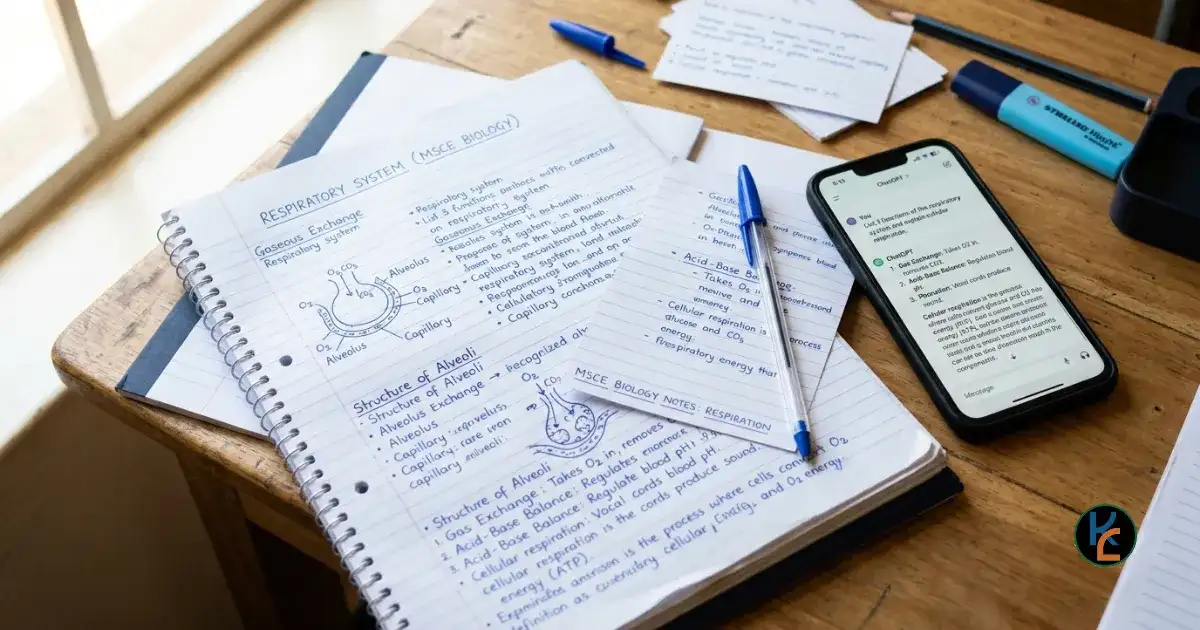
Turn your passive reading into active revision by using AI to quiz you on your own notes.
3. Use study mode
ChatGPT currently includes Study mode, which is specifically designed to support learning. It can guide students through problems, ask questions, explain concepts progressively, create practice questions and check understanding. It is available on ChatGPT across web, iOS and Android.
You can ask it to:
- Teach you a topic from the beginning
- Quiz you one question at a time
- Create flashcards
- Explain mistakes
- Work through practice problems
- Review uploaded notes
- Prepare you for a test
For example:
«I am studying Form 4 Biology. Teach me respiration step by step. Ask me questions as we go and don't give me the answer until I have tried.»
4. Turn your notes into practice questions
Instead of asking ChatGPT to write your homework, give it your own notes and ask it to create questions.
For example:
«Create 20 multiple-choice questions from these notes. Don't show the answers until I have attempted all of them.»
After answering, you can ask ChatGPT to mark your responses and explain the questions you got wrong.
This helps turn passive reading into active revision.
5. Use ChatGPT to find your weak areas
After completing a practice test, tell ChatGPT which questions you struggled with.
For example:
«I got questions 3, 7, 11 and 15 wrong. Identify the concepts I need to revise and create a short study plan for them.»
This can help you focus your study time instead of repeatedly revising topics you already understand.
6. Ask for different explanations
Sometimes you understand a topic only after seeing it explained differently.
Try prompts such as:
- «Explain this like I'm a beginner.»
- «Give me a real-life example.»
- «Explain it using an analogy.»
- «Explain it at secondary-school level.»
- «Explain the same idea using a diagram or table.»
- «Give me one easy example and one difficult example.»
7. Check your own work
You can also use ChatGPT as a feedback tool.
For example:
«I wrote this paragraph myself. Check the grammar and explain what I should improve. Do not rewrite it completely.»
For an essay:
«Identify weaknesses in my argument and suggest questions I should think about.»
This keeps the intellectual work with you while using AI for feedback.
8. Don't blindly trust every answer
ChatGPT can make mistakes. OpenAI specifically advises students to double-check important information, including homework and exam-related information.
Compare important information with:
- Your textbook
- Teacher's notes
- Official educational websites
- School materials
- Reliable reference sources
If ChatGPT gives you an unfamiliar fact, ask:
«What is the source or evidence for this claim?»
Then verify it independently.
9. Don't upload sensitive information
Avoid putting passwords, banking information, private school records or other confidential information into an AI tool simply to get help with an assignment.
If you are uploading notes or documents, remove information that does not need to be shared.
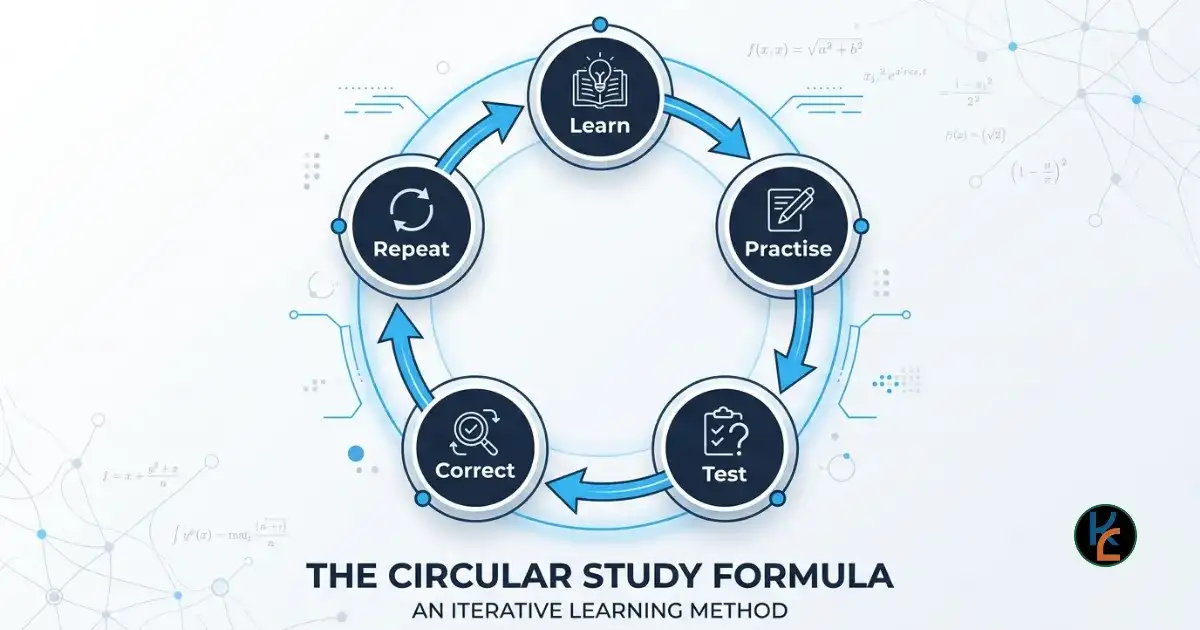
Follow a structured study formula to maximize your learning and retention.
10. A simple ChatGPT study formula
A useful study session can follow this pattern:
Learn → Practise → Test → Correct → Repeat
For example:
- Ask ChatGPT to explain the topic.
- Read your textbook or class notes.
- Solve problems yourself.
- Ask ChatGPT to create a quiz.
- Attempt the quiz without assistance.
- Review your mistakes.
- Repeat the difficult sections.
Final thoughts
ChatGPT should not replace studying. It should make studying more interactive.
The goal is not to have ChatGPT produce answers that you can submit. The goal is to finish your study session knowing more than you knew before.
Use AI to ask better questions, understand difficult concepts, practise, receive feedback and identify weaknesses. When you do the thinking yourself, ChatGPT becomes a learning partner rather than a shortcut.
Remember: If you cannot explain the answer yourself after using ChatGPT, you probably haven't learned it yet.
LEARN • REVISE • SUCCEED
FiloKin Edu — The wise learn together.
Sign in securely with Google to join the discussion.